
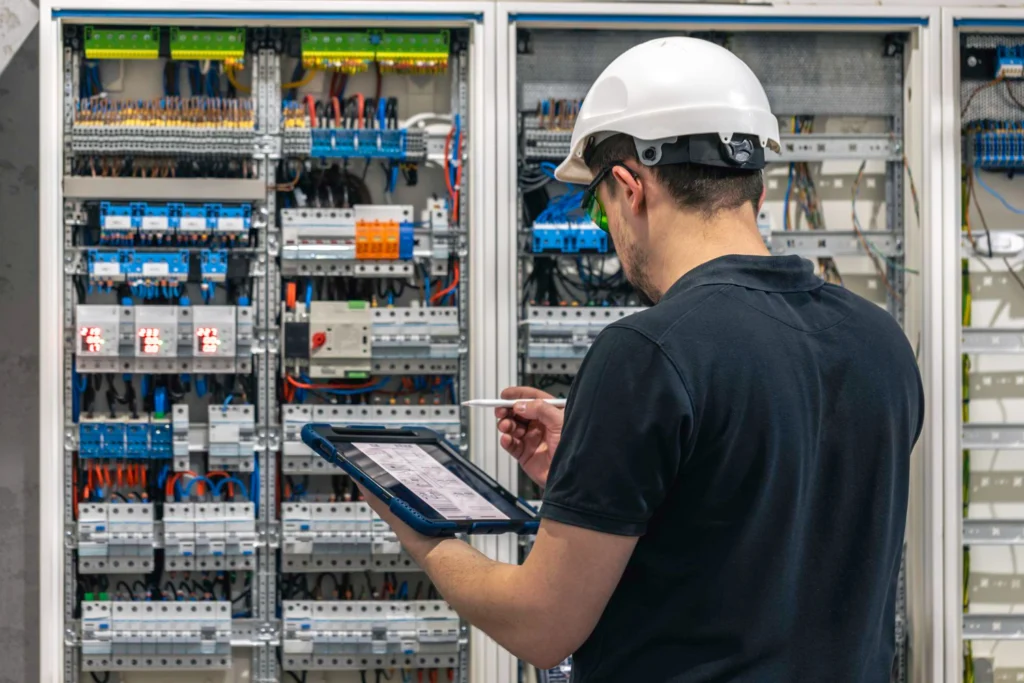
When a business needs a faster network, fiber optic cable often enters the conversation. It can carry data over long distances, support high-capacity connections, and avoid the electrical interference that affects copper cabling. But choosing fiber simply because it sounds more advanced can lead to unnecessary complexity, while overlooking it can leave a network with distance or capacity limitations that are expensive to correct later.
The right decision starts with understanding what the network actually needs to connect. A link between two network closets on different floors has different requirements from a connection to a workstation. A cable run between separate buildings presents different challenges from a short connection inside an office.
Commercial fiber optic cable installation involves more than pulling a cable through a pathway. It requires planning the route, selecting the appropriate fiber, managing the installation, terminating the connections, testing the finished links, and documenting the results. These details determine whether the infrastructure will be useful and maintainable after the installers leave.
For businesses in Westlake Village and the Conejo Valley, understanding these decisions helps when planning a network upgrade, renovating an office, connecting multiple buildings, or evaluating a contractor’s proposal.
What Does a Commercial Fiber Optic Cable Installation Actually Involve?
A commercial fiber installation begins with the network layout, not the cable itself. Before work starts, the project team needs to understand which locations must connect, where the network equipment will sit, what pathways are available, and how the links will be used.
A typical project may include the following stages:
- Pathway planning: Identifying routes through cable trays, conduits, risers, sleeves, or other suitable pathways. Existing pathways must be checked for usable space, accessibility, and conflicts with other building systems.
- Cable selection: Choosing the fiber type, strand count, and cable construction for the route and intended application.
- Cable pulling and placement: Installing the cable without exceeding its pulling tension, crushing it, or violating its bend-radius requirements. The route must also protect it from sharp edges and other physical damage.
- Termination or splicing: Preparing the cable ends for connection. Depending on the design, the project may use connectors, pre-terminated assemblies, spliced pigtails, or another appropriate method.
- Enclosures and patch panels: Securing and organizing fiber connections in suitable enclosures or panels so technicians can identify, connect, and service them.
- Testing and inspection: Checking the installed links using appropriate test methods and confirming that the results meet the project’s acceptance requirements.
- Labeling and documentation: Identifying both ends of each link and recording the route, port assignments, and test results.
These stages depend on one another. For example, a cable can be installed along a suitable route but still become difficult to maintain if its ends are poorly organized or its labels do not match the network records. A link may also appear physically complete while containing a connection problem that becomes apparent only during testing.
Before approving a proposal, ask what the contractor will deliver at the end of the job. Cable installation alone is not the complete scope; usable, tested, identifiable infrastructure is the goal.
Single-Mode vs. Multimode Fiber: What Is the Difference?
Single-mode and multimode fiber both transmit data using light, but they are designed differently. The choice affects which optical equipment can be used and how the link should be designed.
Single-mode fiber
Single-mode fiber uses a very small core that carries light along a single propagation mode. It is commonly used for longer-distance links and is often considered for connections between buildings, campus-style networks, and infrastructure intended to support substantial future distances.
For example, a business connecting two buildings across a property may evaluate single-mode fiber because the distance and future expansion plans make it a practical option. The final decision still depends on the network equipment, optical interfaces, route, and project requirements.
Multimode fiber
Multimode fiber has a larger core and is commonly used for shorter links within buildings and data-center environments. It can be appropriate for connections between network equipment where the supported distance and required data rate fit the selected fiber and optical transceivers.
A network closet connecting to another equipment room within the same building may be a candidate for multimode fiber, depending on the distance and the hardware involved.
Why the choice belongs in the design stage
Fiber type should not be selected solely because one option is associated with longer distances. The project must account for the optical interfaces supported by the switches, the link length, the required capacity, existing infrastructure, and the likely direction of future upgrades.
Fiber cable and optical transceivers must be compatible. Installing a cable without confirming the equipment requirements can leave a business with infrastructure that needs additional components or changes before the link can operate as intended.
Ask the contractor to identify the proposed fiber type, explain why it fits the route, and confirm that the planned optical interfaces are compatible with the network equipment. This decision is much easier to make before the cable is installed than after the pathways are closed and the project is complete.
Fiber vs. Copper: When Is Each the Right Choice?
Fiber and copper serve different roles in commercial networks. Fiber is especially useful for longer links, building-to-building connections, and high-capacity connections between network equipment. Copper remains practical for many shorter connections inside an office, particularly where Ethernet devices use standard twisted-pair network cabling.
The objective is not to replace every copper cable with fiber. It is to use the appropriate medium for each part of the network.
| Consideration | Fiber optic cable | Copper Ethernet cabling |
|---|---|---|
| Typical role | Network backbones, equipment uplinks, and longer links | Workstation, printer, phone, and other local network connections |
| Distance | Can support links much longer than typical copper Ethernet channels, depending on the fiber and equipment | Standard twisted-pair Ethernet channels are generally limited to 100 meters, including the permanent link and patch cords |
| Electrical interference | Does not carry data as electrical signals and is immune to electromagnetic interference along the fiber | Can be affected by electrical interference when installation conditions and cable characteristics are unsuitable |
| Connected equipment | Requires compatible optical interfaces or media conversion at the endpoints | Uses compatible copper Ethernet interfaces for supported applications |
| Power over Ethernet | Does not directly deliver PoE power over the fiber strand | Can carry data and supported PoE power over the same cable |
| Common planning priority | Distance, backbone capacity, optical compatibility, and future expansion | Endpoint connectivity, PoE needs, channel length, and cable category |
When fiber is the right call
Fiber deserves serious consideration when connecting separate buildings, linking distant network closets, supporting high-capacity switch uplinks, or crossing an area where electrical interference is a concern. It is also useful when a copper Ethernet channel would exceed its supported distance.
In these situations, trying to extend an ordinary copper connection beyond its designed limits is not a substitute for planning the right infrastructure. A properly designed fiber link can provide the distance and capacity the connection requires.
When copper is enough
Copper is often the sensible choice for short connections from a nearby network closet to desks, printers, phones, and other Ethernet devices. It can also be important where Power over Ethernet is needed for compatible endpoints, such as certain access points or security cameras.
For businesses comparing copper options, the guide to Cat6 vs. Cat6A explains the cable-category decision in more detail. There is no need to specify fiber for a connection that copper can support reliably and appropriately.
A mixed network is normal: fiber connects the parts of the building or campus that need it, while copper serves local endpoints. The design should follow the actual connection requirements rather than a blanket preference for one medium.
Where Does Fiber Go in a Commercial Building?
Fiber is commonly used where the network needs to connect infrastructure locations rather than individual desks. Its role becomes clearer when the building is considered as a series of network connections.
Backbone connections between floors and network closets
A multi-floor office may have a main equipment room and smaller network closets serving different areas. Fiber can connect these closets to provide backbone links between the building’s network distribution points.
The pathway matters. A route that looks straightforward on a floor plan may have limited riser space, difficult bends, shared conduits, or access restrictions. Those conditions should be identified before installation rather than discovered after cable pulling begins.
Connections between separate buildings
Office parks, commercial properties, and multi-building facilities may need network connectivity between buildings. Fiber is often suitable because it can support longer links and avoids the electrical connection between buildings that can be a concern with conductive cabling.
The contractor still needs to plan the route, select cable appropriate for the environment, and account for the building-entry points and pathway conditions. Outdoor or underground routes require cable and installation methods suitable for those conditions.
Runs beyond the copper Ethernet limit
Standard twisted-pair Ethernet channels are generally limited to 100 meters. If the distance between network equipment and a destination exceeds the supported copper channel length, the network design may need fiber or an appropriately planned intermediate network location.
The important detail is to measure the actual route, not just the straight-line distance between two rooms on a drawing. Pathways can add considerable length.
High-capacity switch uplinks and electrically noisy environments
Fiber can provide high-capacity links between switches when the selected fiber, transceivers, and network equipment support the required data rate. It is also useful around electrically noisy equipment or along routes where electromagnetic interference is a concern.
Fiber is not usually run to every desk. For many offices, it is more practical to bring fiber to the appropriate network closet and use copper cabling for the shorter connections to local devices. The network design determines where each medium belongs.
Fiber Installation Mistakes That Cause Problems Later
Fiber can be damaged or compromised without obvious signs on the outside of the cable. Several installation shortcuts may leave a link unreliable, difficult to troubleshoot, or impossible to verify properly.
Violating the bend radius
Fiber cable cannot be bent arbitrarily tightly. A sharp bend around a tray corner, inside a crowded enclosure, or behind a patch panel can increase signal loss or damage the cable.
For example, a cable may test acceptably before a cabinet is fully organized, then experience additional loss after someone forces it into a tight loop to close the door. Correct routing and strain relief help protect the link during installation and later maintenance.
Pulling against connectors or exceeding cable tension
Pulling force must be controlled during installation. If the pulling load is applied incorrectly, it can damage the cable or connectors even when the outer jacket looks intact.
Installers should use an appropriate pulling method, follow the cable manufacturer’s requirements, and avoid using a connector end as the point of pulling force unless the assembly is specifically designed for that method. Cable routes should also avoid sharp edges and pinch points.
Connecting dirty or uninspected end-faces
Fiber connector end-faces must be clean and inspected before mating. Small amounts of dust or contamination can interfere with the optical connection, increase loss, and sometimes damage connector surfaces.
A connector can look clean to the naked eye and still require inspection. Proper handling and suitable inspection and cleaning procedures are part of good fiber practice—not optional finishing steps.
Leaving the cable unlabelled
Unlabelled fiber creates avoidable problems when a technician needs to trace a connection, replace a transceiver, or expand the network. If several similar cables enter the same enclosure, guessing which strand connects to which location wastes time and risks disconnecting the wrong link.
Labels should be consistent at both ends and should match the project’s documentation. A label that says only “fiber” does not identify the destination or the port.
Handing over no test results
A link light on a switch is not a substitute for installation test records. A connection may come online while still having less margin than expected or while an underlying installation issue remains undiscovered.
Ask for the actual test results and confirm that they identify the relevant link. Without those records, the business has less evidence of the installation’s condition and a weaker starting point for troubleshooting future faults.
How Should Fiber Be Tested and Documented?
Testing verifies more than whether a cable has been connected. The appropriate test method depends on the project requirements, the link design, and the type of problem the test needs to identify.
Insertion-loss testing
Insertion-loss testing measures how much optical signal is lost across a link. It is used to assess whether the installed connection meets the project’s loss budget and acceptance criteria.
The results should be evaluated against the requirements for the actual link, including the fiber type, length, connectors, and any splices. A report should identify the link tested and provide the measured result rather than simply stating that the cable passed.
OTDR testing
An optical time-domain reflectometer, or OTDR, sends pulses of light into a fiber and analyzes the returned signal. It can help identify the location of events along the fiber, such as reflective connections, splices, bends, or breaks, depending on the test setup and the event characteristics.
OTDR testing is not automatically required for every project or a replacement for every other test. Its usefulness depends on the link, the acceptance specification, and the diagnostic or documentation requirements. The contractor should explain which tests are appropriate and why.
What the handover should include
Before accepting the work, ask for documentation that includes:
- Fiber type and installed link or strand identification.
- Labels and destination information for both ends.
- Test results associated with the correct links.
- Relevant test method and acceptance criteria.
- Patch-panel, enclosure, or port assignments where applicable.
- As-built route information or updated drawings appropriate to the project.
These records are especially valuable when a business adds switches, changes network equipment, or asks another technician to troubleshoot the system years later. They help establish what was installed and how the completed links performed at handover.
For a broader look at what a cabling contractor should deliver, read How to Choose a Structured Cabling Contractor for Your Business. Testing, labelling, and documentation should be part of the scope discussion before the proposal is approved—not an afterthought at project closeout.
What Affects the Cost of Fiber Optic Cable Installation?
Fiber installation costs depend on the actual project rather than a single standard rate. Two jobs with similar cable lengths can require very different amounts of labour and supporting work.
- Fiber type: Single-mode and multimode have different design considerations and equipment compatibility requirements.
- Strand count: The number of fibers needed affects cable selection, termination capacity, and how much future expansion the installation can support.
- Run lengths: Longer routes require more cable and may introduce additional pathway or installation challenges.
- Pathways: Existing accessible cable trays differ from routes requiring new pathways, difficult riser access, or work around other building systems.
- Termination method: The selected connector, pre-terminated assembly, or splicing approach affects the installation workflow and required materials.
- Testing scope: The specified testing methods, number of links, acceptance requirements, and documentation deliverables affect the work involved.
- Building conditions: Occupied offices, restricted work windows, ceiling access, security procedures, and coordination with other trades can change how the project is completed.
When comparing proposals, look beyond the cable quantity. Confirm that each contractor has priced the same route, strand count, termination approach, testing scope, and handover documentation. A proposal that leaves these items undefined is difficult to compare fairly with one that clearly includes them.
Fiber as Part of a Larger Low-Voltage Project
Fiber rarely exists in isolation. A commercial network may combine a fiber backbone, copper horizontal cabling, switches, wireless equipment, security cameras, and business phone systems. The systems do not all use the same cable, but they often depend on the same network rooms, pathways, and project schedule.
Consider an office renovation where a new network closet is being added. The project may need a fiber link back to the main equipment room, copper runs to desks and devices, and suitable connections for networked security equipment. Planning these elements together helps the project team coordinate pathways, equipment locations, access, and testing responsibilities.
That does not mean every system should use fiber or that one contractor automatically covers every specialty. It means the scope should identify the systems involved and clearly assign responsibility for each part of the installation.
For a wider explanation of how these systems fit under the commercial low-voltage category, see What Does a Commercial Low Voltage Contractor Actually Do?
For example, a security camera deployment may need a mix of network cabling, switching, and longer backbone links. The article on NVR vs. DVR explains the difference between recording architectures, which can help clarify the wider system design. The actual cable medium and equipment still depend on the camera system and the distance involved.
Fiber Optic Cable Installation in Westlake Village and the Conejo Valley
Commercial buildings around Westlake Village and the Conejo Valley can present very different installation conditions. The most useful starting point is the building’s layout, how the business operates, and what the network needs to connect.
Connecting buildings in an office park
A business operating from multiple buildings may need network connectivity between an administrative office, a separate work area, and another equipment location. The installation plan should establish the route, building-entry points, suitable cable construction, termination locations, and compatible network interfaces before work begins.
It is also worth considering whether the route will be difficult to access later. A little more planning around pathway access and documentation can make future troubleshooting and expansion much easier.
Upgrading an occupied office
In an occupied office, the work must fit around people, equipment, and business operations. Ceiling access may be restricted, network closets may already be crowded, and installation work may need to be coordinated with office schedules or other contractors.
A clear route plan and defined work areas help reduce disruption. The contractor should also explain how existing services will be protected, how new cables will be identified, and when testing and handover will take place.
Working in a multi-tenant commercial building
A multi-tenant building may have shared risers, common equipment areas, restricted pathways, and different responsibilities for the building owner and individual tenants. Before installation, the project team should confirm which routes and rooms can be used and who is responsible for access approvals.
These details are as important as selecting the fiber itself. A technically suitable design still needs a workable, authorized route through the building.
NewCom Solutions provides commercial cabling services in Westlake Village and the surrounding Conejo Valley. For a fiber project, the conversation should begin with the required connections, the existing infrastructure, the available pathways, and the testing and documentation expected at completion.
Questions to Ask Before Hiring a Fiber Installation Contractor
Before approving a proposal, ask questions that reveal how the contractor will plan, install, test, and document the system.
- Why are you recommending this fiber type? The answer should relate to the distance, network equipment, application, and future requirements.
- What route will the cable follow? Ask how the contractor has accounted for risers, conduits, building entries, access restrictions, and other pathway conditions.
- How many strands are included, and how are they allocated? The proposal should make the intended connections and available capacity clear.
- How will the ends be terminated and protected? Ask how the connections will be organized, enclosed, and labelled.
- Which tests are included? Request the planned test methods and acceptance criteria. Confirm whether OTDR testing is appropriate for the project rather than assuming it is always necessary.
- Will we receive the actual test reports? The handover should identify the links tested and provide the results, not only a verbal assurance that everything works.
- What documentation will be handed over? Confirm the labels, port assignments, and route records the business will receive.
- How will the work be coordinated with other trades and building operations? This is especially important for occupied offices, shared pathways, and multi-tenant properties.
A clear proposal should make it possible to understand what will be installed, how completion will be verified, and what records the business will retain. If important details are missing, resolve them before work begins.
Frequently Asked Questions About Fiber Optic Cable Installation
What is fiber optic cable installation used for in a business?
Commercial fiber optic cable installation is commonly used for network backbones between floors or equipment rooms, connections between buildings, longer network links, and high-capacity connections between switches. The right application depends on the network design and equipment.
Is single-mode or multimode fiber better for a commercial building?
Neither is universally better. Single-mode is commonly considered for longer links, while multimode is often used for shorter connections within buildings. The choice should account for distance, optical equipment compatibility, required capacity, and future plans.
Can fiber optic cable connect two separate office buildings?
Yes. Fiber is often suitable for building-to-building network connections. The installation must account for the route, building-entry conditions, appropriate cable construction, termination points, and compatible equipment at both ends.
Does every network closet need fiber?
No. Some network closets can be connected with copper where the channel length and application support it. Fiber is worth considering when distance, capacity, electrical isolation, or future expansion requirements justify it.
What testing should be included in a fiber installation?
The testing scope should match the project requirements. Insertion-loss testing measures signal loss across a link, while OTDR testing can help locate events along the fiber. Ask the contractor which methods are appropriate and request the actual results for the installed links.
Why are fiber labels and test reports important?
Labels help technicians identify the correct cable, strand, and destination. Test reports document how the installed links performed at handover. Together with route and port records, they make future troubleshooting and network changes easier to manage.
What should a business provide before requesting a fiber installation proposal?
Provide the locations that need to connect, available drawings or pathway information, known distances, existing network equipment details, and any access or scheduling restrictions. The contractor can then evaluate the route, fiber requirements, termination approach, and testing scope.
Plan Your Business Fiber Infrastructure With NewCom Solutions
Fiber optic cable installation is most successful when the network requirements, cable route, termination method, testing, and documentation are planned together. The goal is not simply to install fiber; it is to give the business a network connection that fits its needs and can be identified and maintained after the project is finished.
NewCom Solutions provides commercial cabling services for businesses in Westlake Village and the surrounding Conejo Valley. If you are planning a new installation, connecting network closets, or evaluating an infrastructure upgrade, start by reviewing our Structured Wiring services.
Contact NewCom Solutions to discuss your building layout, connection requirements, and project scope. A clear plan helps establish the right infrastructure, the appropriate testing, and the documentation your team will need when the network changes in the future.