
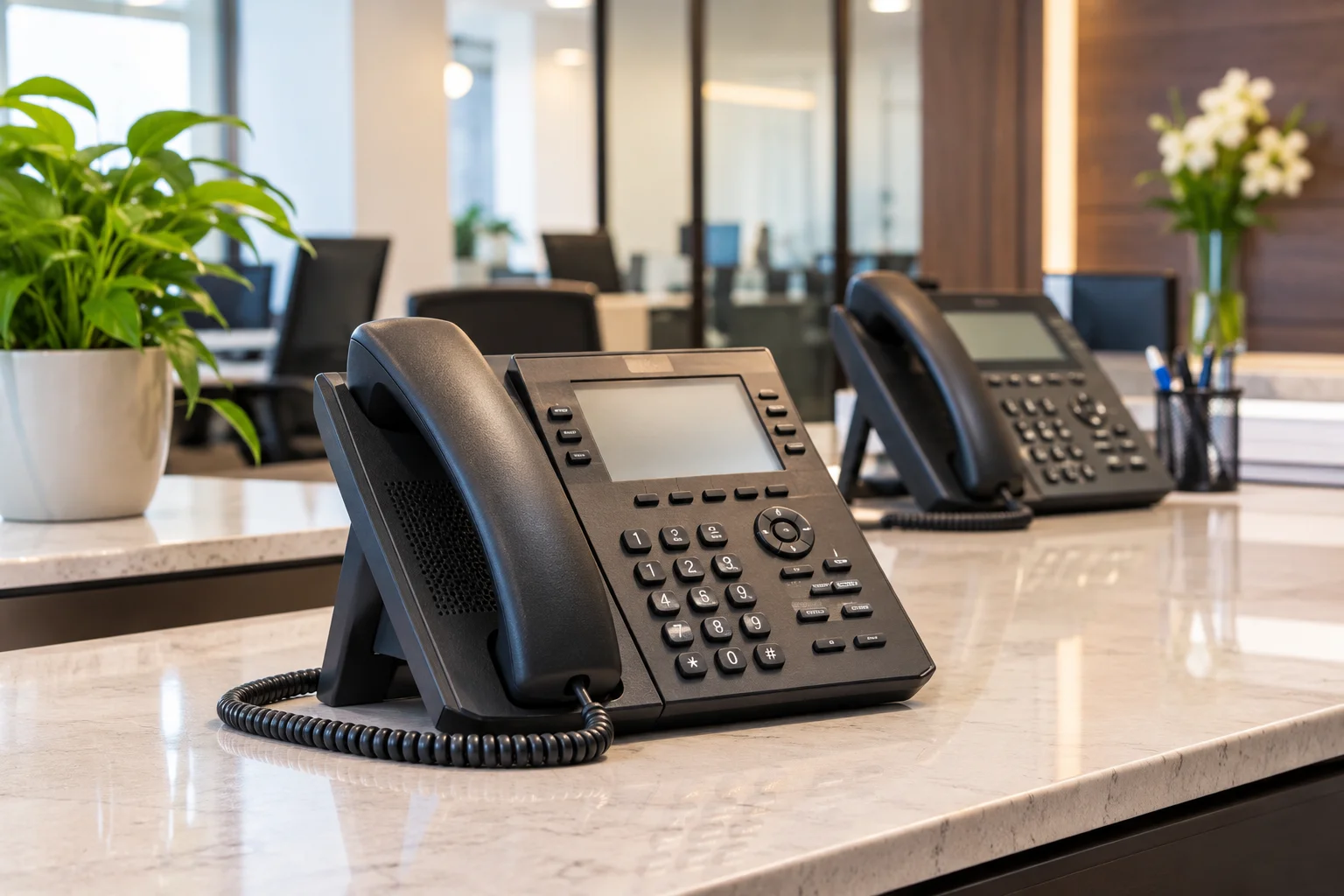
When a business starts comparing phone systems, the first question is often simple: how much will it cost? The answer, however, depends on much more than the number of phones an office needs. Equipment, extensions, call capacity, installation requirements, network readiness, and ongoing service can all affect the final investment.
Two businesses with a similar number of employees may receive very different quotes because their communication requirements are not the same. One may need a straightforward office phone setup, while another needs multiple departments, reception call handling, call transfers, and several locations connected through one system.
Understanding these cost factors before requesting a quote helps you compare proposals accurately and avoid paying for equipment or features your business does not need. Here is what to consider when evaluating business phone system cost.
1. The Type of Business Phone System You Choose
The type of phone system is one of the biggest factors affecting the initial investment and ongoing expenses.
Businesses may use traditional telephone equipment, an on-premises IP-PBX system, or a hosted VoIP service. Each option has a different cost structure, installation requirement, and level of control.
- Traditional phone systems: These may involve legacy telephone equipment, dedicated lines, and ongoing carrier charges. Existing infrastructure can influence whether equipment needs to be replaced or upgraded.
- On-premises IP-PBX systems: These use equipment installed at the business location to manage extensions and calls. Costs can include the PBX platform, compatible IP phones, licensing, installation, and configuration.
- Hosted VoIP systems: These typically use a recurring subscription model, often priced by user or extension. Depending on the service, additional charges may apply for hardware, advanced features, or call usage.
An on-premises system may require more upfront investment, while a hosted service may spread costs across monthly payments. The right comparison should consider the complete cost over the expected life of the system, not just the initial price.
2. Number of Users, Extensions, and Phone Lines
The number of people who need access to the phone system directly affects the equipment and capacity required.
However, the number of employees is not always the same as the number of phones or simultaneous calls a business needs. For example, some employees may share a phone, while reception, sales, customer service, and management may each require dedicated extensions.
When reviewing a proposal, distinguish between these three requirements:
- Users: People who need access to the phone system.
- Extensions: Individual internal numbers assigned to employees, departments, or shared work areas.
- Concurrent call capacity: The number of calls the system must handle at the same time.
A company with 25 employees may not need 25 simultaneous outside calls. However, a busy reception desk or customer service department may need more call capacity than a smaller office with the same headcount.
Ask the installer to explain how the proposed number of extensions and call paths was determined. This helps prevent both undersizing the system and purchasing more capacity than the business currently needs.
3. IP-PBX Equipment and System Capacity
For businesses considering an on-premises IP-PBX system, the equipment itself can represent a significant part of the initial cost.
The required hardware depends on the number of extensions, expected call activity, system configuration, and future expansion requirements.
Depending on the proposed setup, equipment costs may include:
- IP-PBX hardware: The central system responsible for managing internal extensions and routing calls.
- Licenses and capacity: Some systems require licensing for extensions, features, or additional capabilities.
- Network components: Switches and other supporting equipment may be needed if the existing network cannot support the installation.
- Expansion capacity: Additional capacity may be required if the business expects to add users, departments, or locations.
NewCom Solutions works with business phone system technologies including Avaya and Epygi IP-PBX platforms. The appropriate equipment depends on the business’s requirements and the existing infrastructure.
When comparing quotes, ask which equipment is included, what capacity it supports, and whether future expansion would require additional hardware or licensing.
4. The Number and Type of Desk Phones
Not every employee needs the same type of phone. A reception desk may require a more capable handset with multiple line appearances and programmable keys, while an employee who makes occasional calls may need a simpler device.
Phone costs can vary according to:
- Basic or advanced IP phone models.
- Number of programmable keys and supported lines.
- Display size and handset features.
- Headset compatibility and accessories.
- Compatibility with the selected PBX platform.
Some businesses may also use compatible desktop or mobile applications instead of assigning a physical handset to every user. Whether this is suitable depends on the selected system and how employees work.
Ask for a phone-by-phone equipment breakdown rather than accepting a single combined hardware figure. It should be clear how many devices are included, which models are proposed, and whether accessories are part of the quote.
5. Features and Call Management Requirements
The features your business needs can change the price of a phone system. A basic setup for internal and external calling has different requirements from a system designed to manage a busy reception desk or multiple departments.
Common business phone features include:
- Auto attendant: Plays a recorded greeting and directs callers to the appropriate department or extension.
- Call forwarding: Routes calls to another extension or designated number.
- Call transfer: Allows employees to transfer callers to colleagues or departments.
- Ring groups: Routes incoming calls to a selected group of phones.
- Voicemail: Allows callers to leave messages when employees are unavailable.
- Call queues: Organizes incoming calls when multiple callers are waiting for assistance.
Some capabilities may be included in the phone system, while others require additional licensing, configuration, or third-party services. The exact requirements also vary between PBX platforms and hosted providers.
Before approving a quote, identify which features your employees will actually use. Paying for advanced functions that do not support a real business requirement can increase the cost without adding meaningful value.
6. Cabling and Existing Network Infrastructure
A phone system installation may require more than connecting new desk phones. The condition and layout of the existing network can affect how much preparation is needed before the system is ready to use.
For example, a business may already have suitable network connections at each desk. Another location may need new network drops, additional cable runs, or changes to its network equipment.
Potential infrastructure costs include:
- New Ethernet cable runs to phone locations.
- Network outlets and termination work.
- Switches with suitable capacity and Power over Ethernet support, where required.
- Network configuration and connectivity checks.
- Corrections to existing cabling or network issues.
Power over Ethernet (PoE) can allow compatible IP phones to receive power through their network connection, reducing the need for separate power adapters at each desk. However, the network switches must support the required PoE standards and capacity.
If new network cabling is needed, it should be assessed as part of the installation plan. NewCom’s structured wiring services can help businesses address the physical cabling infrastructure that supports their communication systems.
Ask whether the quote assumes that existing network connections are ready to use or includes any required cabling and network work. This distinction can make a noticeable difference to the final project cost.
7. Installation, Configuration, and Programming
Equipment costs are only one part of a business phone system project. The system also needs to be installed, configured, and tested so employees can use it correctly.
Installation and configuration requirements may include:
- Mounting or setting up the PBX equipment.
- Connecting and configuring IP phones.
- Creating extensions and assigning users.
- Setting up call routing and department groups.
- Configuring greetings, voicemail, and other requested features.
- Testing internal and external calls.
- Checking call transfers and other required functions.
A straightforward installation using existing network infrastructure may require less work than a project involving multiple departments, extensive cabling, or a complex call-routing structure.
Ask the provider to separate equipment costs from installation and configuration charges. This makes it easier to understand what you are paying for and what work the installer is responsible for completing.
8. SIP Trunking, Calling Plans, and Ongoing Charges
After installation, your business may still have recurring communication costs. These depend on how the phone system connects to external telephone networks and how calls are billed.
For an IP-PBX installation, SIP trunking may be used to connect the system to outside telephone services. The associated charges can depend on the provider, number of channels, calling plan, and usage requirements.
Depending on the arrangement, ongoing expenses may include:
- SIP trunk or telephone service charges.
- Monthly channel or line fees.
- Per-minute charges for certain calls.
- International calling charges.
- Recurring software or feature licenses.
- Support or maintenance agreements, where applicable.
Hosted phone services generally use a different pricing model, often charging monthly per user or extension. Additional features and calling requirements may change the subscription cost.
Do not assume that a quoted equipment and installation price includes ongoing telephone service. Ask which recurring services are included, which are billed separately, and who will provide them.
9. Future Expansion and Long-Term Costs
A phone system should meet the business’s current requirements without making reasonable future growth unnecessarily difficult or expensive.
If your company expects to add employees, open another office, or reorganize departments, those plans should be considered before selecting the system.
For example, a system that meets today’s extension requirements may need additional licenses, hardware, or configuration work when more users are added. Similarly, a business with multiple locations should understand how the proposed setup will support communication between them.
Ask these questions before making a decision:
- Can additional extensions be added to the proposed system?
- Will future growth require new hardware or licenses?
- Can the system support the expected number of simultaneous calls?
- What changes would be required if the business adds another location?
- Are recurring service or support costs likely to change as the system expands?
Planning for realistic growth can help avoid replacing or significantly reworking a phone system sooner than necessary.
10. How to Compare Business Phone System Quotes
When comparing proposals, avoid choosing a provider based only on the lowest initial price. A lower quote may exclude equipment, cabling, programming, or recurring services that another proposal includes.
Instead, ask each provider to explain the same core requirements and itemize the costs.
| Cost area | What to check in the quote |
|---|---|
| Phone system equipment | PBX model, hardware, capacity, and included licenses. |
| Desk phones | Number of devices, models, accessories, and compatibility. |
| Extensions and call capacity | Number of extensions and simultaneous outside calls supported. |
| Features | Call routing, voicemail, auto attendant, ring groups, and other requested functions. |
| Cabling and network work | New cable runs, network outlets, switches, and any infrastructure upgrades. |
| Installation and configuration | Equipment setup, programming, testing, and user handover. |
| Ongoing charges | Telephone service, SIP trunking, licensing, support, and maintenance. |
| Future changes | Costs for additional users, extensions, features, or locations. |
A detailed proposal gives you a clearer picture of the complete investment and makes it easier to identify differences between providers.
Business Phone System Installation in Westlake Village and Nearby Areas
For businesses in Westlake Village and the surrounding Conejo Valley, choosing a phone system involves evaluating both communication needs and the infrastructure available at the office.
NewCom Solutions provides business phone system solutions for commercial environments, including IP-PBX technologies such as Avaya and Epygi. The appropriate setup depends on the number of users, extension requirements, call handling needs, and existing network infrastructure.
Businesses considering a new installation or an upgrade can explore NewCom’s business phone systems and voice and PBX systems services.
NewCom serves businesses in Westlake Village, Thousand Oaks, Agoura Hills, Calabasas, Simi Valley, and nearby areas.
Frequently Asked Questions About Business Phone System Cost
What affects the cost of a business phone system the most?
The biggest factors typically include the type of system, number of extensions, PBX equipment, desk phones, call capacity, required features, installation work, and ongoing telephone service. The final cost depends on how these requirements fit together.
Is an IP-PBX system more expensive than a hosted phone system?
An on-premises IP-PBX system may require a larger upfront investment for hardware, installation, and configuration. A hosted phone system generally spreads costs across recurring subscriptions. The better financial option depends on the business’s requirements, expected usage, and long-term costs.
Does the number of employees determine the number of phone lines needed?
Not necessarily. The number of employees, extensions, physical phones, and simultaneous outside calls are different requirements. A business should evaluate how many people need access and how many calls it expects to handle at the same time.
Are desk phones included in a business phone system installation quote?
That depends on the proposal. Some quotes include compatible IP phones, while others list them separately. Always confirm the number of devices, their models, accessories, and whether installation and configuration are included.
Does installing a business phone system require new cabling?
Not always. Existing network cabling may be suitable if it is properly installed and supports the required connections. However, new cable runs, network outlets, or PoE-capable switches may be needed depending on the building and proposed phone setup.
What are the ongoing costs of an IP-PBX phone system?
Ongoing costs may include SIP trunking, telephone service, call usage, recurring licenses, and optional support or maintenance agreements. These expenses depend on the service provider and the configuration of the system.
Can an existing business phone system be upgraded instead of replaced?
Possibly. The decision depends on the current PBX model, equipment condition, available capacity, compatibility, and the features the business needs. An assessment of the existing system can help determine whether an upgrade is practical.
What should a business ask before accepting a phone system quote?
Ask for an itemized breakdown of equipment, desk phones, extensions, installation, cabling, configuration, recurring service charges, and future expansion costs. Also confirm what is excluded from the proposal and who is responsible for each part of the project.
Does NewCom Solutions install business phone systems in Westlake Village?
NewCom Solutions provides business phone system solutions for commercial customers in Westlake Village and surrounding areas. Its phone system technologies include Avaya and Epygi IP-PBX platforms. The recommended configuration depends on the business’s communication and infrastructure requirements.
Plan Your Business Phone System Installation
A business phone system is a long-term operational investment. Understanding the equipment, extensions, installation requirements, and recurring charges helps you make a better decision and compare proposals on equal terms.
If your business is planning a new phone system or evaluating an existing setup, contact NewCom Solutions to discuss your communication requirements and explore an appropriate solution.