
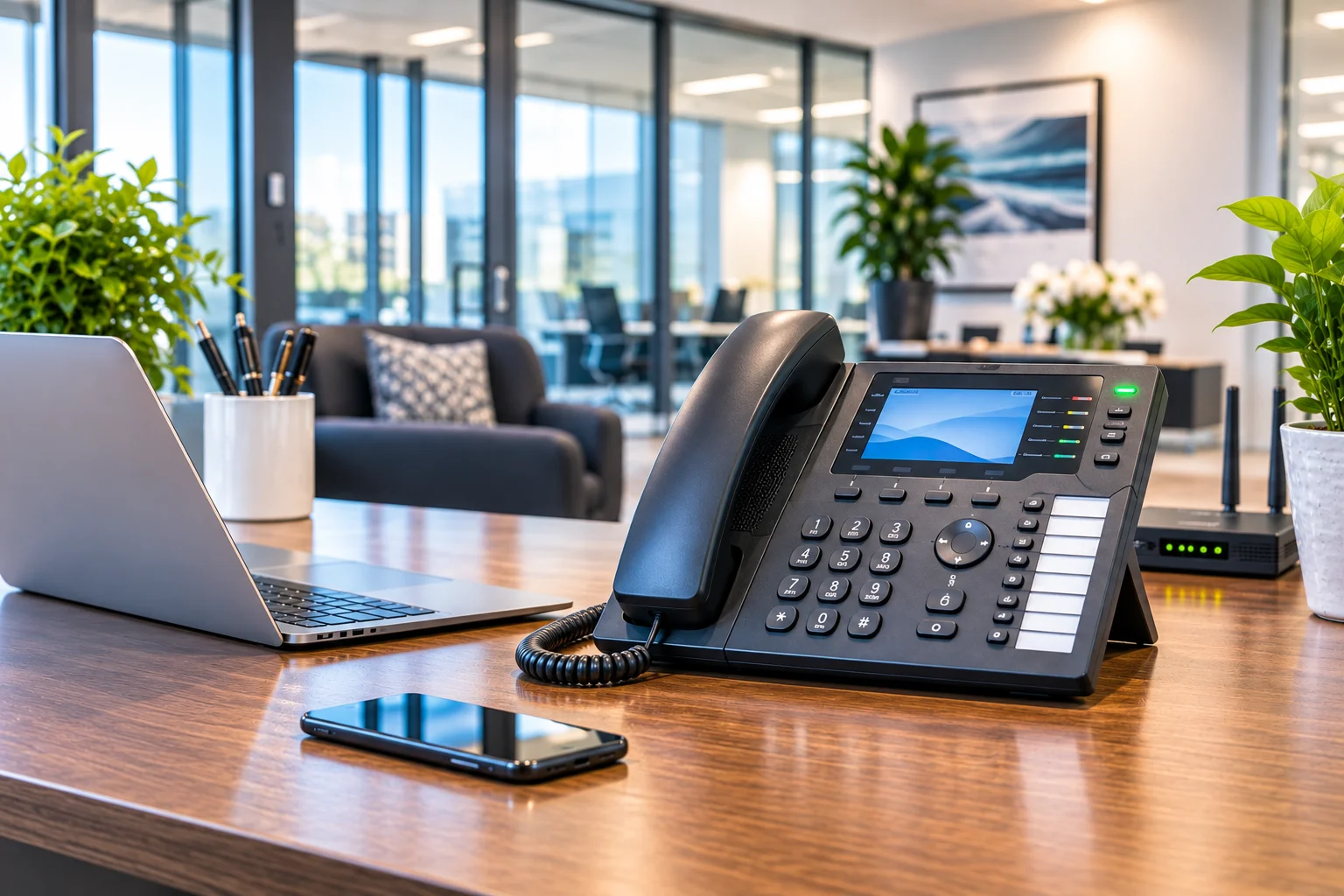
A missed business call can mean a lost customer, a delayed appointment, or a sales opportunity that goes to a competitor. For businesses that regularly handle multiple incoming and outgoing calls, a reliable multi line phone system can make everyday communication easier to manage.
Whether you operate a medical office, law firm, retail store, real estate agency, professional services company, or growing business, the right phone system helps employees communicate, directs customers to the right department, and gives your business a more professional way to handle calls.
However, not every multi-line phone system works the same way. Some use traditional telephone connections and physical line buttons, while others use Voice over Internet Protocol (VoIP), hosted Private Branch Exchange (PBX), or cloud-based technology. Each option offers different capabilities, costs, and installation requirements.
In this guide, we explain how multi-line phone systems work, compare leading business phone providers, explore essential features, discuss pricing considerations, and show you how to choose a solution that fits your company’s communication requirements.
Quick answer: A multi-line phone system allows a business to manage multiple calls through shared telephone lines, numbers, extensions, or internet-based calling channels. For many growing businesses, a cloud-based VoIP or hosted PBX system provides useful flexibility, while traditional and on-premises PBX solutions may suit companies with existing telephone infrastructure or specialized requirements.
What Is a Multi-Line Phone System?
A multi-line phone system is a business communication solution that allows multiple telephone calls to be handled through one or more telephone numbers, phone lines, or call channels. Depending on its design, it can allow employees to answer incoming calls, make outgoing calls, transfer customers, and communicate with other departments through a shared telephone network.
Instead of relying on one telephone line that can become occupied when someone is speaking, a business can configure multiple call paths and distribute calls among employees.
For example, consider a small company with a receptionist, three sales representatives, and two customer support employees. Its phone system could direct incoming calls to reception, transfer sales inquiries to the sales team, and send support requests to the appropriate employees.
Employees may use desk phones, cordless handsets, desktop applications, or mobile phones, depending on the system and provider.
How Does a Multi-Line Phone System Differ from a Regular Phone?
A regular single-line telephone generally handles one active telephone connection at a time on that line. A business multi-line setup can support additional call paths, allowing employees to manage more calls without requiring a separate standalone telephone service for every person.
Here are the main differences:
| Feature | Single-Line Phone | Multi-Line Business Phone System |
|---|---|---|
| Call handling | Generally one active call per line | Multiple calls can be handled through configured call capacity |
| Employee access | Limited sharing and routing options | Can support multiple employees and extensions |
| Call transfers | May require manual assistance or supported service features | Can provide internal call transfers |
| Call management | Basic calling features | May include call queues, forwarding, voicemail, and auto attendants |
| Business scalability | Additional lines or services may be needed | Capacity and extensions can be expanded according to the system |
| Remote access | Depends on the telephone service | Cloud and VoIP systems can support mobile and remote users |
Understanding Phone Lines, Extensions, Phone Numbers, and Concurrent Calls
Before selecting a multi-line phone system for small business use, it is important to understand four terms that providers sometimes use differently.
- Phone number: The public telephone number customers dial to reach your business, department, or employee.
- Extension: An internal number assigned to an employee, department, or destination within the phone system.
- Concurrent call: An active call taking place at a particular time. The system’s capacity determines how many calls it can handle simultaneously.
- Line appearance: A line or call appearance shown on a physical telephone, often through a dedicated button or screen entry.
These terms are related, but they are not interchangeable. A business can have 15 employees with individual extensions but only need a smaller number of simultaneous external call paths.
For example, a company might use one main business number, several departmental numbers, and 15 employee extensions. Its actual call capacity should be based on how many people are expected to make or receive calls at the same time.
Always ask a provider whether its quoted capacity refers to users, extensions, telephone numbers, devices, or simultaneous calls. This distinction can prevent businesses from purchasing more capacity than they need or choosing a system that cannot handle peak call volume.
Best Multi-Line Phone Systems for Small Businesses in 2026
There are several business phone providers in the United States offering multi-user calling, VoIP, call management, and cloud communication services. The right choice depends on your business size, communication requirements, budget, existing equipment, and preferred features.
Below are five providers worth comparing. These are comparison candidates, not a universal ranking or a claim of hands-on product testing. Their features and plan inclusions should be checked against your requirements before purchasing.
1. Ooma Office
Potential fit: Small businesses looking for straightforward business calling and essential call management features.
Ooma Office provides a business telephone service with features such as virtual receptionists, mobile applications, ring groups, business numbers, and digital fax. Its higher-tier plans add capabilities such as call recording, video meetings, call queues, CRM integration, and hot desking.
The provider offers several plans, making it possible to compare different feature levels rather than purchasing every advanced feature immediately.
Published plan prices:
- Essentials: $19.95 per user per month.
- Pro: $24.95 per user per month.
- Pro Plus: $29.95 per user per month.
These are published starting plan prices, not complete installed-system costs. Taxes, fees, equipment, and optional services may affect the final amount.
Features to consider: Virtual receptionist, mobile app, ring groups, call recording, voicemail, call queues, and integrations.
Visit the official Ooma Office plans and pricing page for current details.
2. Zoom Phone
Potential fit: Businesses already using Zoom Workplace that want phone calling integrated with their existing collaboration tools.
Zoom Phone provides cloud-based business calling through desktop applications, mobile devices, and supported telephone hardware. It can be useful for teams that want to manage telephone conversations alongside meetings, messaging, and other workplace tools.
Its US and Canada Unlimited plan is listed at $18 per user per month when billed monthly or $16 per user per month when billed annually on the published pricing page.
Available features include domestic calling, business phone numbers, call recording, supported integrations, and calling across multiple devices.
Features to consider: Multiple-device calling, call recording, integrations, number management, and the calling destinations included in the selected plan.
Visit Zoom Phone’s official pricing page for current plans, calling terms, and availability.
3. RingCentral RingEX
Potential fit: Businesses that need business calling, team collaboration, and communication across multiple locations.
RingCentral RingEX combines business telephone services with collaboration features. Depending on the selected plan, companies can access domestic calling, messaging, meetings, call recording, and integrations with business applications.
The provider also offers higher-tier options with additional capabilities, including CRM integrations and support for connecting multiple business locations.
Published Core plan pricing:
- Core: $20 per user per month with annual billing.
- Core monthly billing price: $30 per user per month.
Higher-tier plans have different pricing and feature availability. Businesses should compare annual commitments, user limits, add-ons, and included calling services before selecting a package.
Features to consider: Domestic calling, call recording, messaging, meetings, CRM integrations, and multi-location management.
Visit the official RingCentral RingEX pricing page for current plan information.
4. Nextiva
Potential fit: Businesses looking for a broader communication platform combining voice, messaging, collaboration, and customer interaction tools.
Nextiva offers business communication services that include voice calling, business SMS, video meetings, team chat, mobile applications, and call routing. Its higher-level offerings include additional customer engagement and reporting capabilities.
Businesses with multiple departments should evaluate whether the selected package includes the routing, reporting, integrations, and call-management functions they actually need.
Features to consider: Call routing, voice and messaging, mobile access, reporting, customer engagement tools, and integrations.
Visit Nextiva’s official VoIP phone service page to review current packages and pricing.
5. Dialpad
Potential fit: Teams interested in business calling combined with AI-assisted call summaries, transcription, and communication analytics.
Dialpad provides a cloud-based business phone platform that can be accessed through supported desktop, laptop, smartphone, tablet, and desk-phone configurations.
Its published Connect plans include features such as business calling, integrations, call transcripts, and AI-generated call summaries, depending on the package.
Businesses considering Dialpad should check which AI features are included in each plan and whether their desired integrations require an upgrade.
Features to consider: Call transcription, AI summaries, CRM integrations, mobile applications, analytics, and administrative controls.
Visit the official Dialpad business phone system page for current features and pricing.
Multi-Line Business Phone Providers Compared
| Provider | Potential Use Case | Features to Compare | Pricing Reference |
|---|---|---|---|
| Ooma Office | Small business calling | Virtual receptionist, ring groups, call queues | From $19.95/user/month |
| Zoom Phone | Zoom-based workplaces | Calling apps, integrations, call recording | From $16/user/month annually |
| RingCentral | Multi-location businesses | Calling, collaboration, CRM integrations | From $20/user/month annually |
| Nextiva | Combined business communications | Voice, SMS, call routing, reporting | Check current plan pricing |
| Dialpad | AI-assisted business communication | Transcription, summaries, analytics | Check current plan pricing |
Pricing note: The figures above are published vendor plan prices checked on November 17, 2026. They are not guaranteed quotes. Billing frequency, annual commitments, taxes, equipment, optional services, geographic availability, and plan changes can affect actual costs.
Also, these cloud phone services are not directly equivalent to traditional multi-line desk phones or a professionally installed on-premises PBX. Compare the complete system rather than comparing subscription prices alone.
Types of Multi-Line Phone Systems
Understanding the different types of business telephone systems is essential because each technology handles calls differently. The best solution depends on your infrastructure, number of employees, call volume, and expectations for future growth.
1. Traditional Multi-Line Phone Systems
Traditional multi-line phone systems use telephone connections supplied through a conventional telephone network. A compatible telephone can have separate line buttons, allowing users to answer, hold, and manage calls across the available connections.
These systems can work well for businesses that need basic calling and already have compatible telephone wiring and equipment.
However, businesses should consider their existing carrier’s service availability, hardware support, maintenance requirements, and future migration options before investing in a new traditional installation.
Suitable for: Small offices with straightforward calling requirements and compatible existing infrastructure.
2. Private Branch Exchange (PBX) Systems
A Private Branch Exchange, commonly called PBX, is a private telephone network that manages communication within a business. It connects internal extensions and manages calls between employees and the external telephone network.
Instead of providing a separate external telephone line for every employee, a PBX can distribute available call connections among multiple extensions.
Common PBX capabilities include:
- Internal employee extensions.
- Incoming and outgoing call management.
- Call transfers and holding.
- Voicemail and departmental routing.
- Auto-attendant configurations.
- Conference calling.
- Integration with supported telephone equipment.
PBX systems are available in different configurations, including traditional, IP-based, hosted, and hybrid solutions.
3. VoIP Multi-Line Phone Systems
Voice over Internet Protocol (VoIP) allows telephone conversations to travel through an IP network rather than relying exclusively on traditional telephone circuits.
A VoIP business phone system can connect desk phones, computers, and mobile applications through a common communication platform.
Depending on the provider and configuration, businesses can use VoIP for:
- Multiple incoming and outgoing calls.
- Employee extensions.
- Call forwarding and transfers.
- Mobile and remote communication.
- Auto attendants and call queues.
- Voicemail and call recording.
VoIP is particularly useful when employees work from different locations or when a business wants to expand its communication system without installing a separate traditional telephone connection for every user.
However, call quality depends on the internet connection, local network configuration, provider infrastructure, and endpoint equipment.
4. Cloud-Based or Hosted PBX Systems
A cloud-based PBX is managed through infrastructure operated by a service provider. Instead of maintaining all the telephone system hardware at the business premises, the company accesses its phone services through an internet connection.
This arrangement can reduce the need to maintain an on-site telephone server and can simplify the process of adding users or supporting remote employees.
Cloud PBX systems commonly provide:
- Centralized call management.
- Employee extensions.
- Department-based call routing.
- Mobile and desktop calling applications.
- Voicemail and call forwarding.
- Remote administration.
Before choosing a hosted service, check its internet requirements, service-level commitments, emergency calling arrangements, data handling policies, and support availability.
5. Hybrid Phone Systems
A hybrid phone system combines traditional telephone equipment with IP-based or VoIP technology. This arrangement may help a business retain selected existing equipment while introducing newer communication features.
For example, a company might continue using compatible analog telephones while adding IP phones, remote extensions, or SIP-based connections.
Hybrid configurations can be useful when a business is not ready to replace its entire telephone infrastructure.
However, compatibility must be checked carefully. Existing phones, interface cards, gateways, licenses, and carrier connections may not work with every modern PBX platform.
Traditional vs. VoIP vs. Cloud Phone Systems: Which Is Better?
There is no single technology that is best for every company. A business should compare its existing infrastructure, communication requirements, budget, and expected growth.
| Comparison | Traditional Phone System | On-Premises IP-PBX | Cloud-Based VoIP |
|---|---|---|---|
| Technology | Traditional telephone connections | IP-based system managed on-site | Internet-based hosted calling |
| Equipment | Compatible analog or digital phones | PBX equipment and compatible IP devices | Applications and compatible desk phones |
| Installation | Telephone wiring and carrier connections | Local network and PBX configuration | Internet, configuration, and compatible devices |
| Remote working | May require additional services | Depends on configuration | Commonly supported through applications |
| Scalability | Depends on available lines and hardware | Depends on system capacity and licensing | Often easier to expand through provider plans |
| Maintenance | Carrier and equipment dependent | Business or service provider responsibility | Provider manages hosted infrastructure |
| Best suited for | Basic calling and compatible legacy setups | Businesses requiring local control or specialized integration | Growing and distributed teams |
For many small businesses, cloud-based VoIP is a practical starting point because it supports multiple devices and can simplify expansion. However, a company with existing PBX equipment, analog devices, specialized requirements, or particular control needs may benefit from an on-premises or hybrid installation.
How Many Phone Lines Does a Small Business Need?
The number of telephone lines your company needs depends on how many calls employees make and receive simultaneously. It should not be determined by employee count alone.
For example, a business with 12 employees may have 12 internal extensions but only four employees handling external calls at its busiest time.
In that situation, the company might need:
- 12 employee extensions.
- One main business telephone number.
- Additional direct numbers for selected departments or employees.
- Enough simultaneous call capacity for its peak call activity.
- Call routing to distribute calls among the available employees.
The exact configuration depends on the provider’s licensing model, trunk capacity, and call-routing design.
Common Multi-Line Phone System Configurations
| Business Setup | Possible Configuration | Typical Consideration |
|---|---|---|
| Home-based business | 1–2 users | Separate business number and basic call management |
| Small office | 3–5 users | Shared calls, extensions, and basic call forwarding |
| Growing company | 6–15 users | Department routing, call queues, and additional call capacity |
| Medium-sized office | 16–50 users | Multiple departments, reporting, and administrative controls |
| Large or multi-location business | 50+ users | Centralized management, integrations, and scalable call capacity |
These are illustrative business-size categories, not fixed telephone-line requirements. A five-person sales team may handle more simultaneous calls than a 20-person office where most employees rarely use the telephone.
How to Calculate Your Required Call Capacity
Follow these steps before requesting a quote:
- Count the employees who need access to the phone system.
- Identify the employees who regularly make or receive external calls.
- Review the busiest periods of the business day.
- Estimate how many inbound and outbound calls may overlap.
- Identify departments that need separate numbers or call queues.
- Allow additional capacity for seasonal demand and future hiring.
- Ask the provider to confirm the number of concurrent calls supported by the proposed configuration.
For example, if four employees regularly handle calls simultaneously during peak periods, the business should discuss a configuration that supports at least that level of call activity, with additional headroom where appropriate.
Essential Features to Look for in a Multi-Line Business Phone System
When comparing multi-line phone systems, avoid selecting a provider based only on the number of lines or the monthly subscription price. The features available to employees and customers can make a significant difference in daily operations.
1. Call Forwarding
Call forwarding allows incoming calls to be redirected to another telephone number, extension, or device. It can help employees remain reachable when they are away from their desks.
2. Call Transfer
Call transfer allows an employee to move a conversation to another extension or department. This is useful when reception receives a call intended for sales, technical support, billing, or management.
3. Call Waiting and Call Holding
Call waiting alerts an employee when another call arrives while they are already speaking. Call holding allows the employee to temporarily place an existing conversation on hold.
4. Auto Attendant
An auto attendant provides an automated greeting and presents callers with routing options. For example, customers might press one for sales, two for support, or three for billing.
This feature helps businesses direct callers without requiring a receptionist to answer every call manually.
5. Interactive Voice Response (IVR)
Interactive Voice Response systems allow callers to interact with an automated menu using keypad selections or supported voice recognition. IVR can support more advanced routing and customer self-service workflows.
6. Voicemail and Voicemail Transcription
Voicemail allows customers to leave messages when employees are unavailable. Some systems also convert voicemail recordings into text, helping staff review messages more quickly.
7. Call Queues and Ring Groups
Ring groups allow incoming calls to ring multiple selected employees. Call queues organize incoming calls and distribute them according to configured rules.
These features can be particularly useful for customer support departments, reception teams, sales offices, and appointment-based businesses.
8. Conference Calling
Conference calling allows multiple participants to communicate through a shared telephone conversation. Depending on the platform, this may be included in the phone service or provided through a separate collaboration application.
9. Mobile and Desktop Applications
Modern business phone systems may allow employees to make and receive business calls using smartphones, computers, and tablets.
Before purchasing, confirm whether the applications support the features your employees need, including call transfers, voicemail, business caller ID, and access to internal extensions.
10. CRM and Business Application Integrations
Some phone platforms integrate with Customer Relationship Management (CRM) software and other business applications.
Depending on the provider and selected plan, these integrations may help employees access customer records, associate calls with customer profiles, or manage communication activities from connected software.
11. Call Recording and Analytics
Call recording can help businesses review conversations, support staff training, and maintain records where permitted. Call analytics may provide information about call volume, unanswered calls, response times, and employee activity.
Businesses should check recording permissions, retention settings, access controls, and applicable federal and state consent requirements before enabling call recording.
12. Security and Emergency Calling
Business phone systems should have appropriate administrative and security controls. Depending on the service, these may include account permissions, multifactor authentication, encryption, and activity logs.
Also verify how emergency calling works, including how the provider associates a physical location with an emergency call. This is especially important for mobile and remote employees who may use the same business extension from different locations.
How Much Does a Multi-Line Phone System Cost?
The cost of a multi-line phone system depends on the technology, number of users, simultaneous call capacity, equipment, installation requirements, and included features.
Some cloud phone services charge a monthly fee per user, while traditional and on-premises systems may involve equipment purchases, installation, maintenance, licensing, and telephone service charges.
Main Costs to Consider
| Cost Component | What It Covers |
|---|---|
| Monthly service subscription | Business calling, users, and included communication features |
| Telephone equipment | IP phones, analog phones, headsets, gateways, and accessories |
| PBX hardware | On-premises telephone system equipment, where required |
| Installation | System configuration, wiring, device setup, and testing |
| Internet connectivity | Business internet service and network upgrades |
| Additional licenses | Extra users, extensions, advanced features, and integrations |
| Maintenance and support | Technical assistance, updates, repairs, and ongoing service |
| Optional services | Additional numbers, international calling, recording, or advanced call management |
Per-User Pricing vs. Equipment-Based Pricing
Cloud phone providers commonly display their prices as a monthly amount per user. This makes initial comparisons straightforward, but businesses should calculate the total cost based on the number of employees and required features.
For example, a company with 10 employees should calculate the cost of 10 user subscriptions, not assume that one subscription will cover the entire office.
With an on-premises PBX, the pricing structure may be different. Businesses may need to account for system hardware, telephone devices, installation, licensing, and ongoing maintenance.
Questions to Ask Before Accepting a Quote
- Does the price include the required number of extensions?
- How many simultaneous calls are supported?
- Are desk phones included or purchased separately?
- Are there additional charges for toll-free or international numbers?
- Are call recording and call queues included?
- Does the quote include installation and configuration?
- Are there annual contracts or early cancellation charges?
- Are taxes, regulatory fees, and emergency calling charges included?
- What happens if the business needs additional users?
A complete quote should explain the initial installation cost, recurring charges, optional features, and expected maintenance expenses.
Multi-Line Phone Systems for Different Types of Businesses
Different industries use telephone systems in different ways. A solution designed for a retail store may not provide everything required by a medical office or a customer support department.
Medical Offices and Healthcare Practices
Medical offices often receive appointment requests, patient inquiries, prescription-related calls, and administrative questions. A suitable phone system can help direct callers to reception, scheduling, billing, and other departments.
Useful features may include call queues, voicemail, business-hour routing, extensions, and appointment-related communication integrations.
Healthcare organizations that handle protected health information should verify the provider’s applicable HIPAA support, Business Associate Agreement (BAA), configuration requirements, and data-handling practices. A phone system should not be considered compliant simply because its provider advertises healthcare-related features.
Law Firms and Professional Services
Law firms and professional service companies may need direct extensions, private call routing, voicemail, call forwarding, and reliable communication between receptionists, attorneys, and administrative staff.
Before selecting a system, review call privacy, access permissions, recording policies, and integration requirements.
Retail Stores
Retail businesses may receive customer questions about opening hours, product availability, orders, returns, and store locations.
A multi-line business phone system can help employees share incoming calls and direct customers to the appropriate department. Larger retail operations may also benefit from multi-location management and centralized call routing.
Real Estate Agencies
Real estate teams often need to manage calls from buyers, sellers, property owners, and prospective clients. Mobile calling, call forwarding, direct employee numbers, and CRM integrations can help agents stay connected while working outside the office.
Customer Service and Sales Teams
Sales and customer support departments may receive a high number of incoming calls. Call queues, ring groups, reporting, call recording, and CRM integration can help teams organize customer communication.
Businesses with more complex requirements should evaluate whether a standard business phone platform is sufficient or whether they need a dedicated contact center solution.
Desk Phones vs. Mobile Phones vs. Softphones
A multi-line phone system does not necessarily require every employee to use the same type of telephone device. Modern platforms may support several endpoint options.
| Device Type | Advantages | Considerations |
|---|---|---|
| Desk phone | Dedicated workplace device, physical controls, and convenient office calling | Requires compatible hardware and network or telephone connections |
| Cordless phone | Mobility within supported coverage areas | Range, battery life, and system compatibility |
| Mobile phone | Allows employees to communicate away from the office | Application compatibility, business caller ID, and mobile data connectivity |
| Softphone | Software-based calling through a computer or supported device | Requires compatible software, internet connectivity, and suitable audio equipment |
| Conference phone | Supports group conversations in meeting rooms | Requires appropriate conference and audio support |
Before purchasing desk phones, confirm whether the devices support the selected provider’s technology and features. A telephone that works with one PBX or VoIP platform may not support every feature on another system.
How to Set Up a Multi-Line Phone System
Installing a multi-line phone system requires more than connecting several telephones. The system should be configured around employee responsibilities, customer call flows, network requirements, and future business needs.
Follow these steps when planning a new installation or upgrading an existing system.
Step 1: Evaluate Your Business Communication Needs
Start by identifying how your business handles calls. Count employees, departments, telephone numbers, extensions, and expected simultaneous calls.
Consider whether you need reception, sales, billing, support, management, or separate office locations to have dedicated call-routing arrangements.
Step 2: Choose the Right Technology
Decide whether your business needs a traditional telephone system, an on-premises PBX, cloud VoIP, or a hybrid configuration.
Compare the advantages and limitations of each option against your current infrastructure and long-term requirements.
Step 3: Select a Phone Service Provider or System Installer
Evaluate the available providers based on their supported equipment, service coverage, technical support, installation experience, pricing, and system compatibility.
If your business requires a customized PBX or existing telephone infrastructure integration, discuss the project with an experienced phone system installer before purchasing equipment.
Step 4: Configure Phone Numbers and Extensions
Assign the main business number, departmental numbers, and employee extensions according to your communication structure.
Decide which employees should receive incoming calls, which departments should have direct access, and how calls should be handled outside business hours.
Step 5: Configure Call Routing and Reception
Set up the auto attendant, ring groups, call queues, call forwarding, and voicemail options required by the business.
For example, a company could route sales calls to the sales department, support calls to technical staff, and billing questions to the accounts team.
Step 6: Install and Connect Telephone Equipment
Install compatible desk phones, wireless devices, gateways, and other required equipment. For VoIP systems, check the network switches, Ethernet cabling, internet connectivity, and power requirements.
Where necessary, review the existing structured cabling infrastructure and determine whether upgrades are needed.
Step 7: Test the Complete Calling Process
Test incoming calls, outgoing calls, transfers, voicemail, call forwarding, simultaneous calls, and emergency calling arrangements.
Also verify that employees can use their assigned devices and that the call-routing rules work correctly during business hours and after closing.
Step 8: Train Employees and Review Performance
Provide employees with instructions for using extensions, transferring calls, checking voicemail, managing calls on hold, and accessing mobile applications.
After installation, review call activity and employee feedback. Adjust the call-routing configuration if customers are experiencing unnecessary transfers or long waiting times.
Network Requirements for a Reliable VoIP Phone System
Businesses considering a VoIP multi-line phone system should evaluate their internet and local network infrastructure before installation.
Voice communication uses network resources, and poor network conditions can affect call quality even when the telephone service itself is functioning correctly.
Important considerations include:
- Internet capacity: Ensure the connection can handle expected voice traffic alongside normal business internet usage.
- Latency: Excessive network delay can make conversations difficult.
- Jitter: Variations in packet arrival times can affect audio quality.
- Packet loss: Lost voice packets can result in missing or distorted audio.
- Quality of Service (QoS): Appropriate network configuration can prioritize voice traffic where supported.
- Network switches: Check compatibility, capacity, and Power over Ethernet (PoE) requirements for IP phones.
- Power backup: Consider backup power for network equipment and telephone devices where business continuity requires it.
- Internet redundancy: Businesses with critical communication requirements may consider a secondary internet connection or failover arrangement.
A network assessment can help identify infrastructure issues before they affect telephone performance.
Common Mistakes to Avoid When Choosing a Multi-Line Phone System
Selecting a phone system without understanding actual business requirements can result in unnecessary expenses, limited functionality, and difficult upgrades.
Choosing a System Based Only on Price
A low monthly subscription may not include the call management features, hardware, or support your business needs. Compare the complete cost of ownership rather than selecting the cheapest advertised plan.
Confusing Extensions with Simultaneous Call Capacity
Having enough employee extensions does not automatically mean the system can handle the same number of external calls simultaneously. Confirm the actual call capacity with the provider.
Ignoring Future Business Growth
A phone system should support reasonable expansion. Consider whether adding users, departments, numbers, or office locations will require new hardware or expensive upgrades.
Overlooking Internet and Network Quality
Businesses moving to VoIP should evaluate their internet connection, internal network, and backup arrangements before deployment.
Failing to Check Hardware Compatibility
Not every telephone is compatible with every PBX or VoIP platform. Verify supported devices, protocols, firmware, and required licenses.
Ignoring Customer Call Experience
A phone system should make it easier for customers to reach the right person. Complicated menus, unnecessary transfers, and poorly configured call queues can create frustration.
Overlooking Security and Emergency Calling
Review account security, administrator permissions, call-recording policies, emergency calling capabilities, and location configuration before selecting a provider.
How to Choose the Right Multi-Line Phone System for Your Business
The right solution should match how your employees communicate today while providing enough flexibility for future requirements.
Use this checklist before making a final decision:
- Identify the number of employees who need telephone access.
- Estimate peak simultaneous incoming and outgoing calls.
- Determine how many public business numbers are required.
- Decide whether employees need individual extensions.
- Compare traditional, VoIP, on-premises PBX, and cloud options.
- Check whether the system supports your existing telephone equipment.
- Review call forwarding, transfer, queue, and auto-attendant features.
- Confirm support for mobile and remote employees.
- Evaluate CRM and business application integrations.
- Check internet, network, power, and emergency calling requirements.
- Request a detailed quotation covering installation and ongoing costs.
- Review technical support, maintenance, security, and future expansion options.
A business that needs only a few shared telephone lines may not require a complicated PBX installation. On the other hand, a company with several departments, high call volume, or multiple locations may benefit from a more advanced communication platform.
Business Phone System Installation and PBX Solutions from NewCom Solutions
Choosing the right telephone technology is only one part of building a reliable business communication system. Installation, configuration, telephone wiring, equipment compatibility, and ongoing maintenance can also affect how well the system performs.
NewCom Solutions Inc. provides business telephone, VoIP, PBX, network, and related technology services for businesses in its Southern California service areas.
Its business phone system services cover traditional and VoIP telephone solutions, system installation, maintenance, and business communication requirements.
Depending on the selected configuration, the company describes support for communication features such as:
- VoIP and IP-PBX systems.
- Business extensions and call management.
- Auto-attendant and voicemail.
- Call center functionality.
- Interactive Voice Response (IVR).
- Conference bridging.
- Wireless telephone solutions.
- Outlook and CRM integration.
NewCom also provides Voice PBX and VoIP solutions, including Asterisk IP-PBX offerings. Its website describes solutions ranging from 2 to 500 extensions, subject to the selected system and project requirements.
For businesses installing or upgrading VoIP equipment, the network infrastructure should also be considered. NewCom’s commercial cable installation services cover voice and data cabling, network wiring, fiber installation, testing, and related infrastructure work.
NewCom’s listed service areas include Westlake Village, Los Angeles, the Conejo Valley, Ventura County, and Orange County. Businesses should confirm their exact location and project requirements before arranging an installation.
If your company is planning a new telephone system, replacing older equipment, or upgrading an existing PBX, you can contact NewCom Solutions to discuss your communication requirements and request an assessment.
Frequently Asked Questions About Multi-Line Phone Systems
1. What is the best multi-line phone system for a small business?
The best system depends on your business size, call volume, equipment, and budget. Cloud-based VoIP services may suit businesses that need mobile access and flexible expansion, while traditional or on-premises PBX systems may suit companies with existing telephone infrastructure or specialized requirements. Compare features, simultaneous call capacity, installation costs, and support before choosing.
2. How many phone lines does a small business need?
The required number depends on how many calls employees handle simultaneously, not simply how many people work for the company. A business with 10 employees might need 10 extensions but only a smaller number of concurrent external call paths. Review peak call activity before selecting capacity.
3. Can multiple employees use the same business phone number?
Yes. A properly configured business phone system can route calls from one main number to multiple employees, extensions, or ring groups. Depending on the platform, several employees may be able to answer calls associated with the same business number.
4. What is the difference between a two-line and a multi-line phone system?
A two-line phone system generally provides two separate telephone line appearances or connections, depending on the equipment and service. A multi-line system can support additional lines or call paths. In VoIP and PBX environments, the actual capacity depends on the provider’s configuration, user licenses, and supported simultaneous calls.
5. Is VoIP better than a traditional multi-line phone system?
VoIP can offer greater flexibility for businesses that need remote access, mobile applications, and software integrations. Traditional systems may still be appropriate where compatible infrastructure is already installed or where specific equipment requirements exist. The best choice depends on the business’s communication and infrastructure needs.
6. Does a multi-line phone system require an internet connection?
Traditional telephone systems generally use their supported telephone network connections, while VoIP and cloud-based phone systems require an appropriate IP network and internet connection for external calling. Businesses using VoIP should assess network quality, capacity, and backup connectivity.
7. Can I keep my existing business phone number when switching providers?
In many cases, businesses can transfer eligible existing telephone numbers to a new provider through a process called number porting. Eligibility depends on the number, current carrier, destination provider, and applicable requirements. Confirm the transfer process before cancelling existing telephone service.
8. How much does a multi-line phone system cost?
Costs vary according to the number of users, telephone equipment, monthly service, installation, PBX hardware, and optional features. Cloud services commonly use per-user monthly pricing, while on-premises systems may involve equipment, installation, licensing, and maintenance expenses. Request a complete quotation to understand the total cost.
9. What features should a business phone system have?
Useful features include call forwarding, call transfer, voicemail, call waiting, auto-attendant, extensions, ring groups, call queues, and mobile applications. Businesses with more advanced requirements may also need call recording, analytics, CRM integrations, and conference calling.
10. Can a multi-line phone system support remote employees?
Yes. Many cloud-based VoIP and hosted PBX systems allow employees to access business calling through supported mobile and desktop applications. Remote access depends on the selected provider, subscription, device compatibility, and internet connection.
11. What is the difference between PBX and VoIP?
PBX is a telephone system architecture that manages internal extensions and external calls. VoIP is a technology that carries voice communication over IP networks. An IP-PBX uses VoIP technology, and a cloud PBX can provide PBX functionality through a hosted service.
12. Can an existing traditional phone system be upgraded to VoIP?
In some cases, yes. A compatible existing system may support an upgrade through IP equipment, gateways, SIP connections, or a hybrid configuration. However, the available upgrade options depend on the existing PBX model, equipment compatibility, carrier services, and installation requirements.
Final Thoughts: Choose a Multi-Line Phone System That Can Grow With Your Business
A reliable multi-line phone system helps businesses manage customer calls, connect employees, and organize daily communication. However, choosing the right solution requires more than comparing telephone line counts or monthly subscription prices.
Start by understanding your actual call volume, employee requirements, existing equipment, and future growth plans. Then compare traditional phone systems, on-premises PBX, VoIP, and cloud-based services based on their features, compatibility, costs, and support arrangements.
For a small business, a straightforward cloud phone service may provide everything needed. For a company with more complex requirements, a professionally configured PBX or hybrid system may be a better fit.
The goal is to select a communication system that helps customers reach your business, allows employees to work efficiently, and supports your company’s needs as it grows.
Planning a new business phone system or upgrading your existing telephone infrastructure? Explore NewCom Solutions’ business phone system services or contact the team to discuss your requirements in its service areas.